EDFbrowser compatibility
We recommend to use EDFbrowser a free, open-source, multiplatform, universal viewer, annotator and toolbox intended for, but not limited to, time-series storage files like EEG, EMG, ECG, BioImpedance, etc.
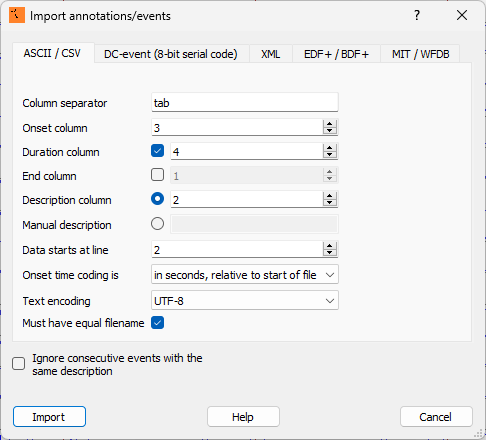
EDFbrowser can open .edf file and import annotations from .tsv file via the menu Tool -> Import Annotations -> ASCII/CSV. To import the Snooz annotations, set the options as shown in the image below, and press Import:
Note
Only three columns out of five are imported into EDFbrowser.
To make annotations channel-specific, add the channel label as a suffix to the annotation name using the format @@ (e.g., spindle@@C3). Snooz automatically generates this format to maintain compatibility with EDFbrowser.
EDFbrowser does not support annotation groups.
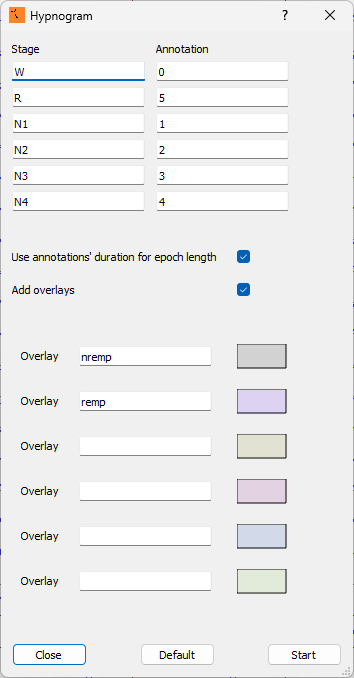
To display the hypnogram based on the Snooz annotations, navigate to Windows -> Hypnogram, set the options as shown in the image below, and press Start: